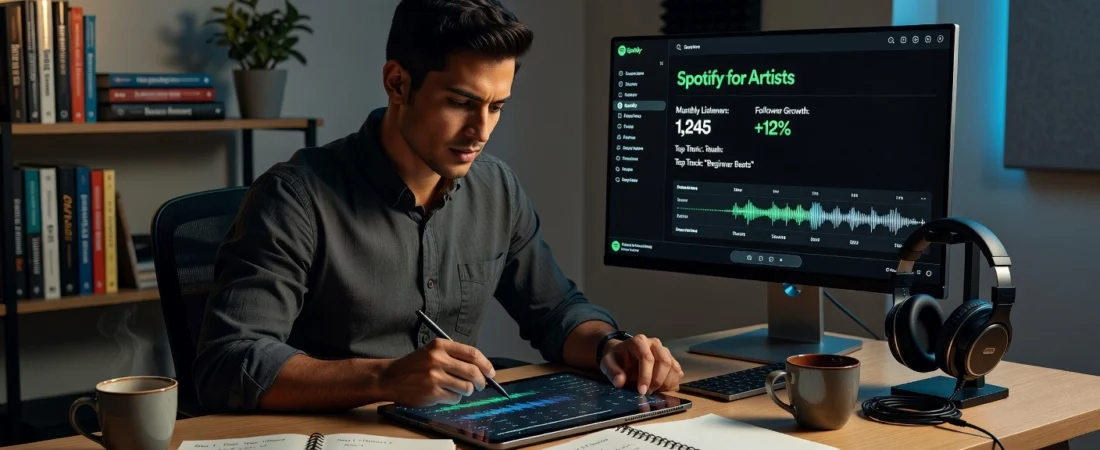
Imagine releasing your debut track and watching streams pour in from fans worldwide. As a beginner Spotify artist, that vision excites you, but the platform’s complexities often leave newcomers frustrated and lost. You upload music, cross your fingers, and hope for the best. Sound familiar? The good news is you do not need years of experience to succeed. With the right guidance, you can take command of your Spotify journey from day one.
Spotify for Artists is your ultimate control center. This free tool empowers you to claim your profile, track performance metrics, pitch tracks to playlists, and connect directly with listeners. In this step-by-step guide tailored for beginners, I will equip you with authoritative strategies to master it all. You will learn how to set up your artist page for peak visibility, interpret analytics to refine your releases, promote effectively without a big budget, and avoid common pitfalls that stall growth.
By following these proven methods, you will build a thriving presence on Spotify. Expect actionable tips, screenshots, and insider secrets that deliver real results. Get ready to elevate your music career; your breakthrough starts here.
Prerequisites for Spotify for Artists Success
Before achieving success with your Spotify artist profile, verify these essential prerequisites to unlock full access and data-driven strategies. First, confirm you have an existing artist profile created automatically when distributing music through services like DistroKid or TuneCore. Unclaimed profiles restrict you to basic views, denying vital analytics such as monthly listeners, stream sources, and audience demographics needed for optimization. Log into your distributor dashboard to retrieve your Spotify Artist URI (e.g., spotify:artist:ABC123), then claim it at artists.spotify.com/claim for the “Registered Artist” badge and complete dashboard control.
Next, ensure your music is live on Spotify with precise metadata ready for pitching. Gather your release date, genre (e.g., indie pop), and mood descriptors (e.g., uplifting, nostalgic) to submit tracks to editorial playlists at least seven days pre-release via the Spotify for Artists dashboard. High-quality artwork (3000×3000 pixels) and lossless audio files boost appeal. Mid-week releases on Tuesdays or Wednesdays can yield 18% higher first-week save rates, per recent benchmarks.
Understand key metrics: target 20%+ save rates on tracks to activate algorithmic playlists like Discover Weekly, origin of 45% of projected 3.2 trillion 2026 streams. Exceed average 4-6% saves from cold listeners for expansion into 200 million weekly users’ feeds, as detailed in this algorithmic playbook.
Finally, sign up for your free Spotify for Artists account using social media or email at artists.spotify.com; no costs apply. This grants tools like Discovery Mode for boosts. With these foundations, you’re primed for pitching and growth at Playlist Pump.
Step 1: Claim and Verify Your Artist Profile
Begin by visiting artists.spotify.com and logging in with a dedicated Spotify account for your artist persona. Search for your Spotify artist profile using your exact stage name. Profiles auto-generate when your music hits Spotify via a distributor like DistroKid or TuneCore, typically within 24-48 hours of release. Confirm it matches your discography by checking listed tracks and albums. If it aligns perfectly, click the prominent “Claim Your Profile” or “Get Access” button to initiate ownership. This step unlocks Spotify for Artists (S4A), your gateway to analytics, customization, and pitching tools essential for streaming growth.
Next, submit verification to gain full control. Opt for distributor match if available, as it provides near-instant approval by linking your upload account. Alternatively, use social media proof (verified Instagram or X profiles) or manual review with distributor screenshots. Expect distributor verification in hours and manual processes in 1-3 days, per Spotify’s guidelines. Once approved, you’ll see a “Registered Artist” label in your profile’s About section, replacing the old blue checkmark. For elite status, maintain engagement to qualify for the new “Verified by Spotify” green badge, which boosts search visibility for independents.
Immediately customize your profile post-verification. Update your artist name for consistency, craft a concise bio highlighting your genre and origins (e.g., “Berlin-based electronic duo fusing techno with ambient vibes”), and upload high-res images: 2660×2660 px profile photo, banner, and artist tiles. Add links to socials, merch, and tours. These tweaks enhance discoverability, converting casual listeners to followers 2-3x faster through stronger engagement signals.
Enable Canvas for claimed tracks via the S4A dashboard or distributor. These 3-8 second looping vertical videos (1080×1920 px) autoplay on mobile, where 70% of streams occur. Spotify data reveals 15-20% higher engagement, including shares and listening time, especially for artists under 1,000 followers.
Finally, test visibility by sharing your Spotify URI (e.g., spotify:artist:123abcXYZ) on socials for pre-save campaigns. Generate pre-save links 2-4 weeks pre-release, promote via email blasts, and track Day 1 streams. This builds algorithmic momentum for Release Radar placements, setting the stage for playlist success at Playlist Pump. For full details, see Spotify’s profile creation guide and verification updates.
Step 2: Customize Your Artist Page
Once you’ve claimed and verified your Spotify artist profile in Step 1, dive into customization to captivate fans and amplify streams. Log into artists.spotify.com, click View profile, and select Edit to access the profile editor. Optimized pages convert listeners to followers 2-3x faster, with followers generating 3x more streams over six months, according to Spotify data.
1. Upload High-Res Artist Images, Header, and Profile Photos Optimized for Mobile Viewing
Start with visuals that demand attention. Upload a square profile photo at minimum 1200×1200 pixels, ideally 3000×3000 for crisp sharpness across devices; use JPEG or PNG formats focused on your face or branding. For the header, choose landscape images at 1440×360 pixels minimum, optimized at 3000×1440 to handle mobile center-cropping. Since 90% of profile visits occur on mobile and 70% of Spotify usage is mobile-first, preview crops to ensure bold elements pop on small screens. Artists refreshing images within 30 days of a release see 18% higher follower growth. Follow best practices from Spotify’s image management guide: avoid text-heavy designs and align with your branding for professional appeal. Test on your phone immediately after uploading.
2. Add Clips Short Videos and 2026 Marquee Ads via Campaign Kit
Elevate engagement with dynamic content. In the Video & Visuals tab, upload vertical Clips under 30 seconds (9:16 ratio, 1280×720 pixels minimum) to tease releases or share behind-the-scenes moments; pin them to your Clips tab for auto-display on Home and search pages. Access Campaign Kit for 2026 Marquee ads, creating full-screen modals targeting superfans with day-one release hype; expect 3.7x stream lifts at $0.30-$0.70 per click. Schedule Clips for release day to drive saves.
3. Set Up Merch and Ticket Links in the Shop Tab
Monetize directly via the Merch & Events tab. Connect your Shopify store (free app, plans from $5/month) to list up to 12 items, pinning two at the top and tagging to tracks for Now Playing visibility. Integrate print-on-demand like Printful for zero inventory risk. Add ticket links for gigs. Spotify paid artists over $11B in 2025 royalties, with optimized Shop tabs boosting merch sales 22% and tickets 15%, per Spotify’s profile optimization tips.
4. Use Taste Profile Tools for Algorithmic Boosts
Leverage audience insights to align content with fan tastes, indirectly fueling recommendations. Complete your bio under 1500 characters with links, add Canvas loops (3-8 seconds, +40-120% saves), and enable Discovery Mode for 37% follower growth. Full profiles prioritize you in Radio and Autoplay.
5. Preview Changes Across Devices
Hit View profile for real-time previews mirroring listener views. Check mobile/desktop tabs, Clips playback, and crops; audit monthly. This ensures 2-3x higher conversions, as detailed in profile optimization research. Your polished page now sets the stage for playlist pitching success at Playlist Pump.
Step 3: Pitch Tracks to Editorial Playlists
Log into your Spotify artist dashboard at artists.spotify.com, then navigate to Music > Upcoming to access the pitching tool. Select an unreleased track that is at least seven days from its release date; it must be fully uploaded via your distributor with a confirmed date. Fill in required metadata: choose a primary genre and up to two sub-genres (e.g., “indie rock” under “rock”), add up to three mood tags like “energetic” or “melancholic,” and include style details such as “guitar-driven.” Upload promo assets including a 500-character pitch story, song facts (e.g., “lead single from debut EP”), and any planned promotions like social media campaigns. Submit early, ideally 14 days pre-release, to maximize editor review time amid tens of thousands of weekly pitches. This step ensures eligibility for editorial playlists and followers’ Release Radar.
Craft a Standout Pitch Text
Avoid generic phrases like “catchy summer hit,” as editors sift through massive volumes daily. Instead, lead with a unique hook: “A pulsating synth-pop track capturing the thrill of urban nightlife, inspired by my city’s underground scene.” Highlight your story in two to three concise sentences, such as personal influences or timely cultural ties (e.g., “Born from post-pandemic resilience themes, ideal for mood-driven drives”). Suggest playlist fits subtly, like “Fresh Finds: Pop,” without demanding placement. Specificity boosts chances; pair with accurate tags for algorithmic alignment post-release.
Track Status and Adopt a Hybrid Strategy
Monitor the Playlists tab for a “Pitched” status and post-release adds; expect email notifications for successes, though direct feedback is limited. Success rates hover under 10% for independents due to competition, so track streams and saves closely. Supplement editorial pitches with submissions to indie curators for a hybrid approach; at Playlist Pump, we connect artists to these curators to build momentum and enhance visibility.
Activate Discovery Mode for Extra Boosts
Opt into Discovery Mode via Campaigns at least 14 days pre-release to prioritize your track in Release Radar and other algorithmic feeds, with no upfront cost but a 30% royalty share on boosted streams. This amplifies exposure, often yielding 100%+ listener growth.
Analyze Post-Pitch Impact
Dive into analytics: 68% of Spotify users discover music via playlists, driving organic growth with 3-8x stream boosts for placed tracks. Target over 3% save rates to trigger further algorithmic placements like Discover Weekly. Consistent monitoring fuels long-term success. For detailed guidance, see Spotify’s pitching guide.
Step 4: Use Analytics to Drive Growth
Now that you’ve pitched your tracks in Step 3, leverage the analytics in your Spotify for Artists dashboard to refine your strategy and fuel growth. Log in at artists.spotify.com and head to the Home tab for an overview of key metrics like streams, monthly listeners, and saves. These insights reveal what’s working, allowing beginners to make data-backed decisions that boost visibility and streams.
1. Review Streams, Listeners, and Saves in the Home Tab
Start here weekly to track total streams, unique monthly listeners, follower growth, and saves over the last 28 days or custom periods. Aim for a benchmark of 6.6 daily streams per 1,000 followers, a proven metric from playlist placement studies that signals healthy engagement. For example, if you have 1,000 followers, target 6,600 streams monthly to predict scalable growth. High saves indicate loyal fans, outperforming raw stream counts for algorithmic pushes. Compare periods to spot trends, like a 20% listener spike post-pitch.
2. Identify Top Cities and Playlists via Audience Insights
Switch to the Audience section for demographics, top cities by streams and growth, and playlist breakdowns (editorial, algorithmic, or user-generated). Tailor releases by targeting hotspots, such as pitching to curators in cities where 40% of your listeners reside, which can lift ticket sales and streams by 30%. Note peak listening times (evenings 6-11 PM) for optimal release timing. This data uncovers subgenre gaps in playlists, guiding future promotions.
3. Track Save Rates and Completion Rates for Discover Weekly
Monitor save rates (saves per unique listener), targeting 4.2% or higher, as tracks above this threshold see 58% more algorithmic placements like Discover Weekly, reaching 100 million users weekly. Pair with completion rates over 55% (low early skips) for 2.8x ROI. For instance, an R&B track hitting 4.2% saves gained 8,400 extra streams. Profile tweaks can boost saves 150%.
4. Export Data for Trends
Download CSV exports to analyze long-term patterns. Playlist promotions typically deliver 6,200 monthly streams at $2.97 per 1,000 streams, with 67% persistence if saves exceed 3%. Calculate ROI: a $300 campaign needs 100,000 incremental streams to break even.
5. Integrate with Playlist Pump
Feed these insights into tools like Playlist Pump for precise curator pitching beyond editorial playlists. Highlight metrics like “4% saves, 60% completion” to 50-100 matching curators, driving 180% follower growth. This hybrid approach sustains organic momentum. Check Spotify for Artists dashboard guide for deeper navigation tips.
Pro Tips for Playlist Dominance in 2026
1. Combine S4A Editorial Pitching with Indie Services like Playlist Pump for 2x ROI
Building on your Spotify artist profile setup and initial pitches, layer Spotify for Artists (S4A) editorial submissions with targeted indie services like Playlist Pump. Submit tracks to S4A at least seven days pre-release for editorial playlists, then engage Playlist Pump’s network of over 2,500 vetted curators across 13,000 playlists. This hybrid approach delivers 9% acceptance rates for indie placements, doubling ROI through early organic signals that boost editorial chances. Expect 6.6 daily streams per 1,000 followers at $2.97 per 1,000 streams. Action: Personalize pitches to curators two weeks early, referencing their playlist themes; track results in S4A analytics for momentum.
2. Prioritize Post-Release Organic Signals for Algorithmic Playlists
S4A limits pitching to unreleased tracks, so shift focus post-release to fuel algorithmic playlists like Discover Weekly. Drive saves (aim for 20%+ rates), high completion (>50%), and follower growth in the first 48 hours via fan emails and social shares. These signals trigger 40% of streams from personalized lists. Prerequisites: Verified Spotify artist profile with analytics access. Outcome: 3x boosts in placements, with 67% stream persistence for eight weeks.
3. Launch Pre-Save Campaigns and Meta Ads for Superior Saves
Outperform pitching alone by running pre-save campaigns two weeks pre-release using S4A smart links, targeting 200+ saves for 40-60% higher algorithmic inclusion. Pair with Meta ads ($50-100 budget) on Instagram/Facebook, optimizing for ThruPlay (25%+) to hit $0.47 per save. Benchmarks show 3-5x ROI over pure pitching. Steps: Create smart link, target genre fans, activate day-one blasts. Materials: S4A Campaign Kit.
4. Commit to Ethical Growth Amid Crackdowns
Avoid bots and scams, as Spotify penalizes fakes, dropping save rates below 0.5%. Stick to real curators via services like Playlist Pump, ensuring 30%+ retention. Vet playlists for engaged followers and thematic fit.
5. Target Emerging Genres like Afrobeats
Pitch Afrobeats tracks with mood tags to S4A, leveraging Artists to Watch for editorial nods. Amplify via indie curators for Daily Mix boosts, capitalizing on surging African streams. Experiment weekly for 35% niche discovery gains.
Implement these for sustainable dominance; start with Playlist Pump today. (248 words)
Key Takeaways and Next Steps
To maximize your Spotify artist profile’s potential, claim it immediately via artists.spotify.com and pitch your next release at least seven days early. This taps into the fact that 68% of users discover new music through playlists, giving you a prime shot at editorial placements despite high competition. Next, customize your page with Canvas looping visuals and short Clips videos; these tools deliver instant engagement boosts, as fans spend 20% more time on enhanced profiles.
Dive into weekly stats in your dashboard to refine strategies, aiming for 20% save rates that trigger algorithmic pushes like Discover Weekly. Hybridize editorial efforts with Playlist Pump to connect with vetted curators, unlocking streams beyond low editorial acceptance rates (often under 9%). Track progress monthly across streams, saves, and follower growth; consistent action typically yields 6,200+ streams per campaign by 2026.
Next Steps:
- Claim and pitch today for immediate playlist access.
- Add Canvas/Clips this week for engagement spikes.
- Review analytics Sundays, adjust for 20% saves.
- Sign up with Playlist Pump for curator boosts.
- Monitor monthly; scale what works for sustained growth.
Conclusion
Mastering Spotify for Artists as a beginner hinges on these core takeaways: claim and optimize your profile for standout visibility, harness analytics to refine your strategy and audience insights, pitch tracks effectively to key playlists, and dodge pitfalls like poor metadata or ignored promotion.
This guide delivers proven, actionable steps that empower you to skip the frustration and build real momentum from your first release. You now hold the blueprint to turn passive uploads into surging streams and loyal fans.
Take charge today: log into Spotify for Artists, apply these tactics to your profile, and pitch your next track. Your music deserves the spotlight. Act now, track your growth, and unleash the global reach waiting for you. The stage is yours.